
AI Creator Cybersecurity Starter Kit
Turn the free checklist into a working security setup.
A plain-English weekend system for AI creators, freelancers, and solopreneurs who run their business through ChatGPT, Google Drive, Canva, Stripe, PayPal, MailerLite, client portals, domains, and cloud tools.
No IT jargon
UK-friendly business context
- Lock down the accounts that can reset, impersonate, or drain your business.
- Create practical rules for AI prompts, client files, links, backups, and recovery codes.
- Use templates and trackers instead of trying to remember every security task.
The real problem
Your business is now a chain of connected accounts.
Your email resets your payment tools. Your cloud drive stores client work. Your AI tools touch research and drafts. Your domain and newsletter platform affect trust. One weak account can create a very expensive week.
The free checklist tells you what matters.
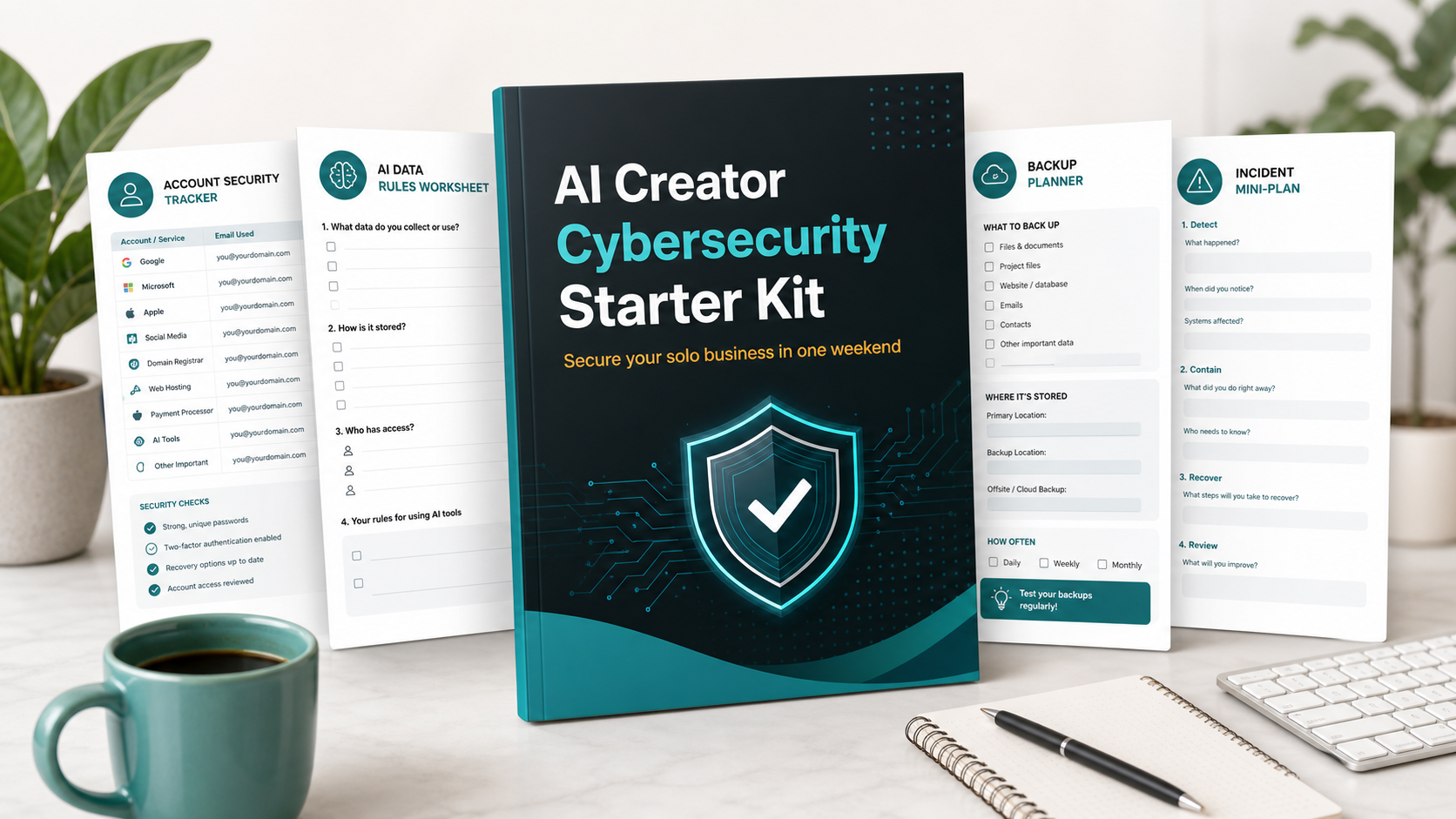
The Starter Kit gives you the actual setup materials: the trackers, prompts, SOPs, review sheets, and action order to get it done without turning cybersecurity into a second job.
What you get
A practical setup kit for the seven places solo businesses leak risk.
Each module is focused on a pain point an AI creator actually feels: account sprawl, client-data uncertainty, messy file sharing, weak backups, and not knowing what to do when something goes wrong.
Why it converts from the checklist
The checklist creates urgency. The kit sells implementation.
- If they worry about hacked accounts:Give them an account lockdown tracker and recovery-code system.
- If they worry about client data in AI tools:Give them a client-data rule sheet they can reuse before every prompt-heavy project.
- If they worry about losing work:Give them a backup planner and restore-test routine.
- If they worry they will panic during an incident:Give them a mini-plan that says what to do first, who to contact, and what evidence to save.
Launch offer
Join before the first version launches.
Get launch access and the planned early-buyer price. The first version is designed to be small, practical, and immediately usable.
Expected standard price: GBP 29 after launch
No spam. Practical launch updates only. You can unsubscribe anytime.
Opens the official MailerLite waitlist page.
Who it is for
Built for creators who need security without enterprise theatre.
Best fit: AI creators, consultants, VAs, coaches, writers, designers, digital-product sellers, newsletter operators, and freelancers handling client files or business accounts.
What this is not
It is not legal advice, formal compliance certification, managed IT support, or a replacement for Cyber Essentials assessment. It is a practical starter system for reducing obvious solo-business risk.
FAQ
Before you join
Is this different from the free checklist?
Yes. The free checklist shows the seven areas to review. The Starter Kit gives you templates, trackers, SOPs, and a weekend setup order so you can actually implement them.
Do I need technical experience?
No. It is written for solo business owners who use common tools, not IT teams.
Do I need to buy tools first?
No. The kit helps you review what you already use first. Tool recommendations can come later once the risks are clear.
Is this UK specific?
The examples are written with UK solo businesses and small-business expectations in mind, but many of the setup steps are useful anywhere.
Is this Cyber Essentials certification?
No. It can help you understand and organise some basic security habits, but it is not an official Cyber Essentials assessment or consultancy service.
What happens after I join?
You will get launch updates and first access when the kit is ready. If the offer is not right for you, you can ignore it or unsubscribe.
Start with the free checklist. Upgrade when you want the templates.
The funnel is simple: diagnose the risk with The AI Creator Security Stack, then use the Starter Kit to build the working setup.
Opens the official MailerLite waitlist page.